How location intelligence works
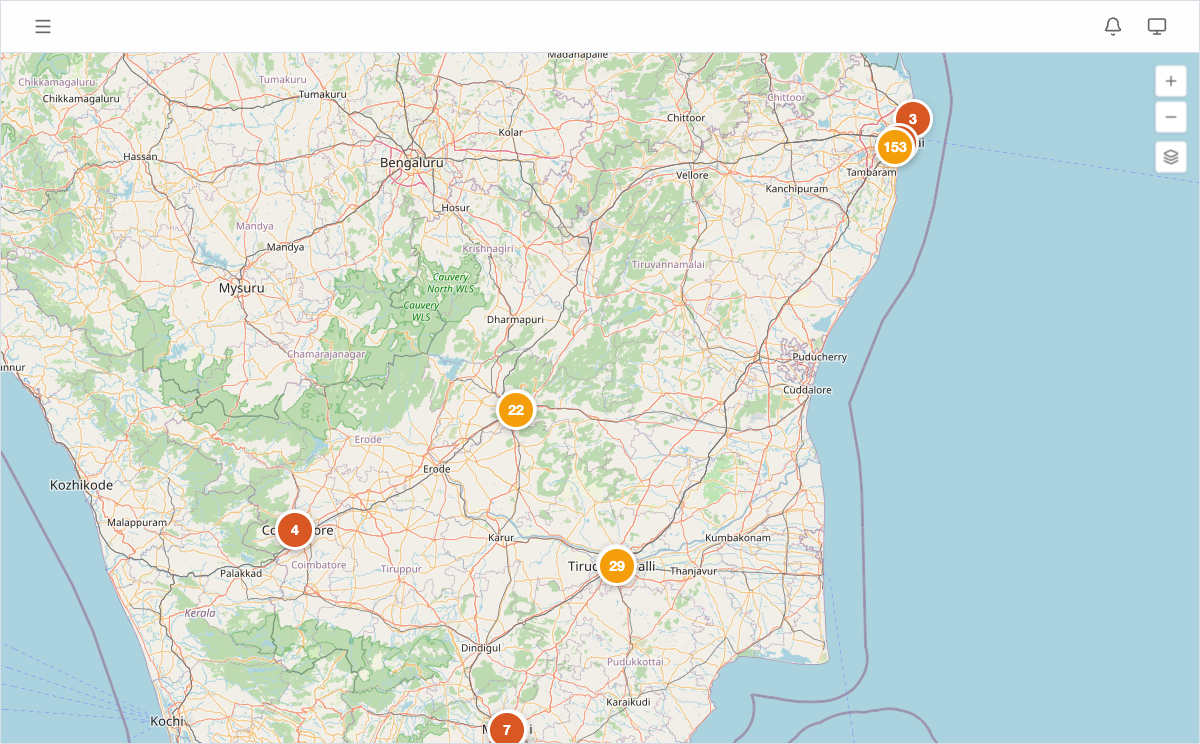
Proquiro combines your lead site locations with competitor data and nearby places to give you geographic context for every acquisition decision. Instead of juggling spreadsheets and separate map tools, you get everything in two places: the Map View and each lead site detail page.
Competitor proximity
When you add competitors with location data, Proquiro plots them on the map alongside your lead sites. Competitor markers show their price per sq ft, so you can benchmark your leads against the local market without leaving the map.
On a lead site’s detail page, the Competitors section lists nearby competitor projects with:
- Project name and developer
- Type (Apartment, Villa, or Layout)
- Price per sq ft
Why this matters: knowing what competitors are charging nearby gives you leverage in negotiations and helps you spot overpriced or undervalued sites early.
See Tracking Competitors for how to add and manage competitor data.
Nearby places
Schools, hospitals, transit stations, and other points of interest appear on the map when added to a lead site. These help you assess infrastructure proximity at a glance — a site near a metro station and a hospital tells a different story than one with no amenities for kilometers.
On the detail page, nearby places are listed with their distance from the site. See Adding Nearby Places for details.
Using the map for site evaluation
The Map View lets you visually assess a lead site’s surroundings in under a minute:
- Open Map View from the sidebar.
- Click a lead pin to see its summary card.
- Look at surrounding competitor markers for pricing context.
- Check nearby place markers for infrastructure coverage.
Combining these layers gives you a quick, visual read on a site’s market position and infrastructure access — the kind of insight that used to require a physical site visit just to scope out the neighborhood.
Tip: Before a site visit or owner meeting, spend 30 seconds on the map view. Walking in with knowledge of competitor pricing and nearby infrastructure makes you a more credible negotiator.
For a portfolio-level view of geographic patterns, see Using Geographic Heatmaps.